
Professional Construction Daily Report PDFsInstantly
Stop formatting reports in Word. Fill out a structured form, attach photos, and generate a branded PDF with one click — ready to send to clients and owners.
The problem
The PDF Problem on Construction Sites
Manual Formatting Takes Forever
Copying data into Word, inserting photos, adjusting formatting — each report takes 30 minutes of admin work you didn't budget for.
Every Report Looks Different
No standard format means missing fields, inconsistent layouts, and reports that look rushed to clients and owners.
Photos Are a Nightmare
Getting photos from your phone into a Word doc at the right size and position is tedious. Half the time they end up on the wrong page.
What PlanSpan does
One ClickProfessional PDF With Photos Embedded
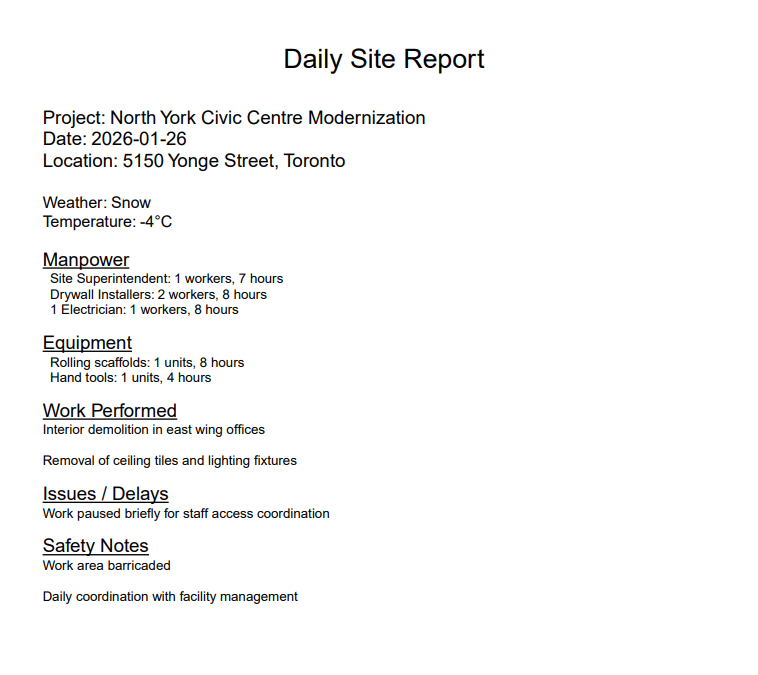
PlanSpan automatically formats your report data and photos into a clean, branded PDF. Same professional format every time, zero manual work.
Instant Generation
Click one button and your PDF is ready to download and send.
Photos Auto-Embedded
All attached site photos are embedded in the PDF in the right place, every time.
AI Weekly Summaries
AI reads your daily PDFs and writes a weekly summary report automatically.
Generate Anywhere
Create PDFs from your phone, tablet, or laptop — on-site or in the office.
How it works
Up and runningon your next project.
- 1
Fill Out Your Report
Enter labour, equipment, weather, and work performed in the structured form
- 2
Attach Site Photos
Upload photos from your phone or device — they embed automatically
- 3
Generate and Send
Click generate, download the PDF, and email it to your client
Daily reporting
Related guides
- Construction daily reportsWhat to record each day and why it protects you.
- Daily report appLog labour, equipment, weather and work from site.
- Mobile daily reportsFill in reports and photos from your phone.
- Voice reportingSpeak a site update and let AI fill in the report.
- Daily report software for contractorsReporting built for general and trade contractors.
- AI weekly and monthly reportsTurn daily logs into summaries automatically.
- Free daily report templateA ready-to-use daily report template.
Get started
Start Generating Professional Reports Today
Start with one project and its drawings and specifications.