
Turn Daily Field Logs Into Professional ReportsAutomatically
PlanSpan AI reads your daily site reports and generates polished weekly summaries, monthly progress reports, and invoice work descriptions in minutes — no manual writing required.
The problem
Why Construction Reporting Takes So Long
Writing Reports Is Time You Don't Have
A weekly progress report takes an hour to write properly — reviewing logs, pulling together labour numbers, summarizing work completed, and formatting it for a client. Multiply that by four projects and it's half a day every Friday.
Monthly Reports Are Even Worse
Summarizing a full month of field activity means reading through 20–25 daily logs, extracting key milestones, and writing a coherent narrative. Most project managers skip it or send something incomplete.
Invoice Descriptions Are Generic and Unconvincing
"Labour and materials for the period" doesn't justify a $180,000 progress draw. Clients want detail — what was done, what progress was made, what issues were resolved — and writing that from memory is unreliable.
What PlanSpan does
AI That Writes Your Reports From the Field Data You Already Capture
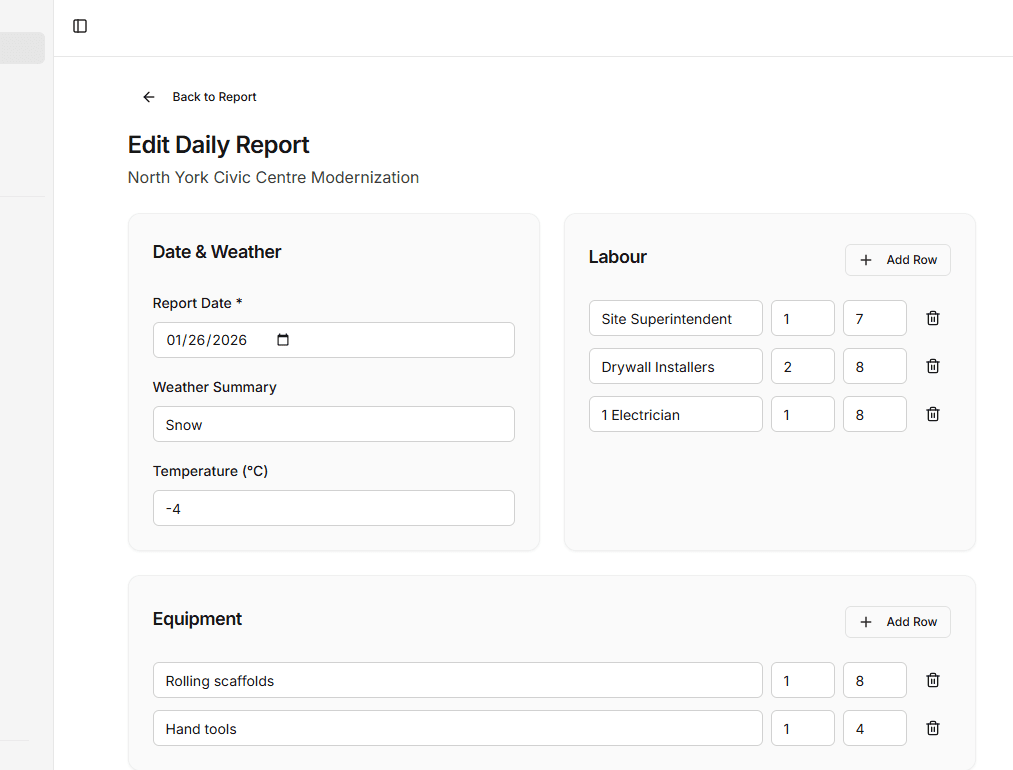
Because PlanSpan stores every daily report — labour, equipment, work performed, weather, photos — AI already has everything it needs to write professional summaries. You pick the date range, AI writes the report.
AI Weekly Summaries
Select the week and AI reads every daily log to write a structured summary of work performed, labour deployed, and key events — ready to send to your client or GC.
AI Monthly Progress Reports
AI consolidates a full month of site activity into a polished monthly report covering milestones, safety observations, labour totals, and open issues.
AI Invoice Work Descriptions
Pick a billing period and AI writes a detailed work narrative from your daily logs — a professional attachment that justifies every line item on your invoice.
Voice Logging to Report
Speak your daily report on-site and AI transcribes it into a structured log. That same data feeds directly into weekly and monthly AI summaries.
How it works
Up and runningon your next project.
- 1
Log Daily Field Activity
Your team logs labour, equipment, weather, and work performed each day — by form or voice
- 2
Choose a Report Type and Date Range
Select weekly summary, monthly report, or invoice description and the period you want covered
- 3
Review and Send
AI generates the report in seconds — review, make any edits, and send directly to your client or attach to your invoice
Daily reporting
Related guides
- Construction daily reportsWhat to record each day and why it protects you.
- Daily report appLog labour, equipment, weather and work from site.
- Mobile daily reportsFill in reports and photos from your phone.
- Voice reportingSpeak a site update and let AI fill in the report.
- Daily report PDFsBranded PDF reports ready to send.
- Daily report software for contractorsReporting built for general and trade contractors.
- Free daily report templateA ready-to-use daily report template.
Get started
Stop Writing Reports ManuallyLet AI Do It From Your Daily Logs
Start with one project and its drawings and specifications.